
School management software for basic schools
Sobel School ERP keeps the records of a Creche, Nursery, KG, Primary or JHS school: pupils and parents, scores and report cards, fees and receipts, expenses, salaries and the timetable.
Teachers, the bursar and parents use it on their phones. Nothing to install.
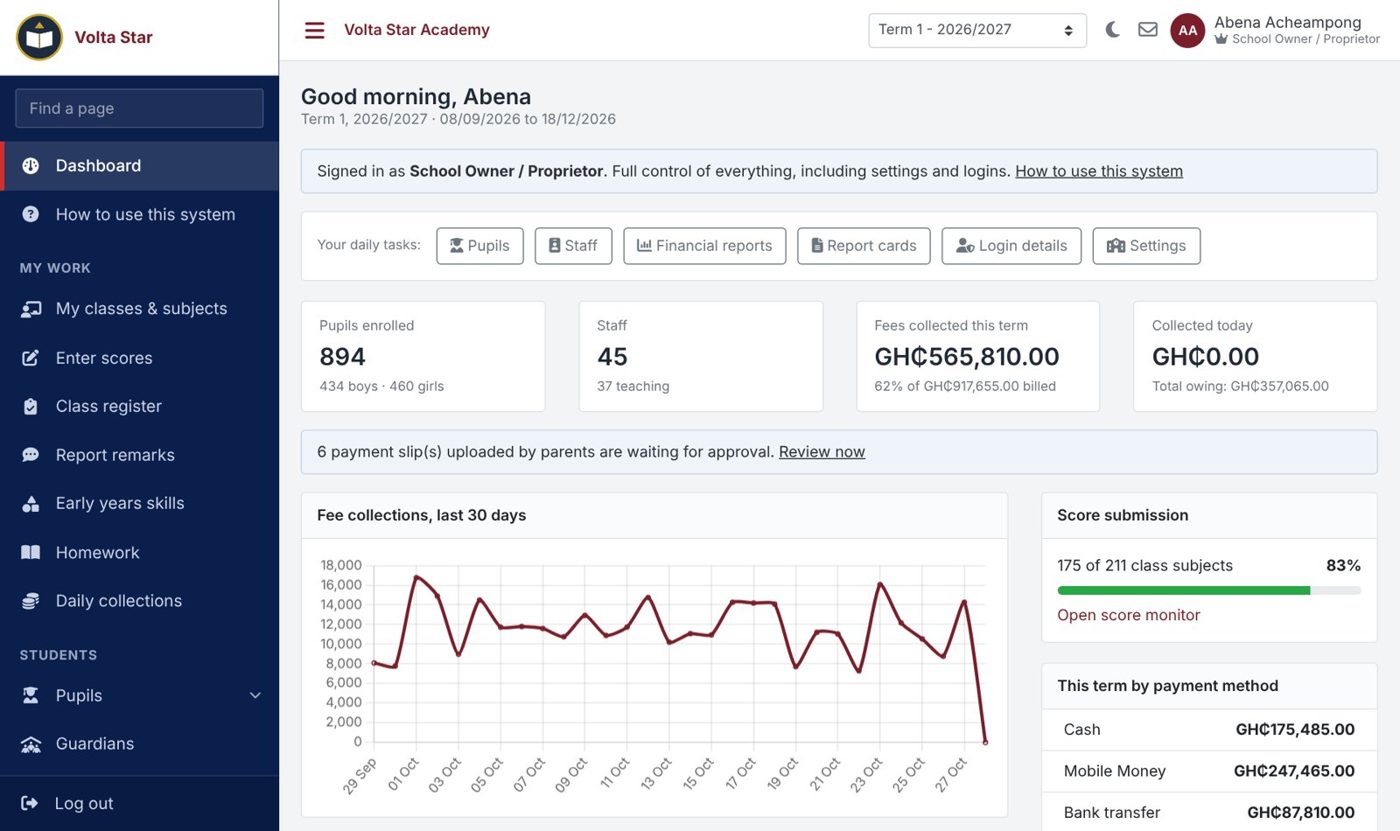
What the system does
The main parts, with screens from a sample school.
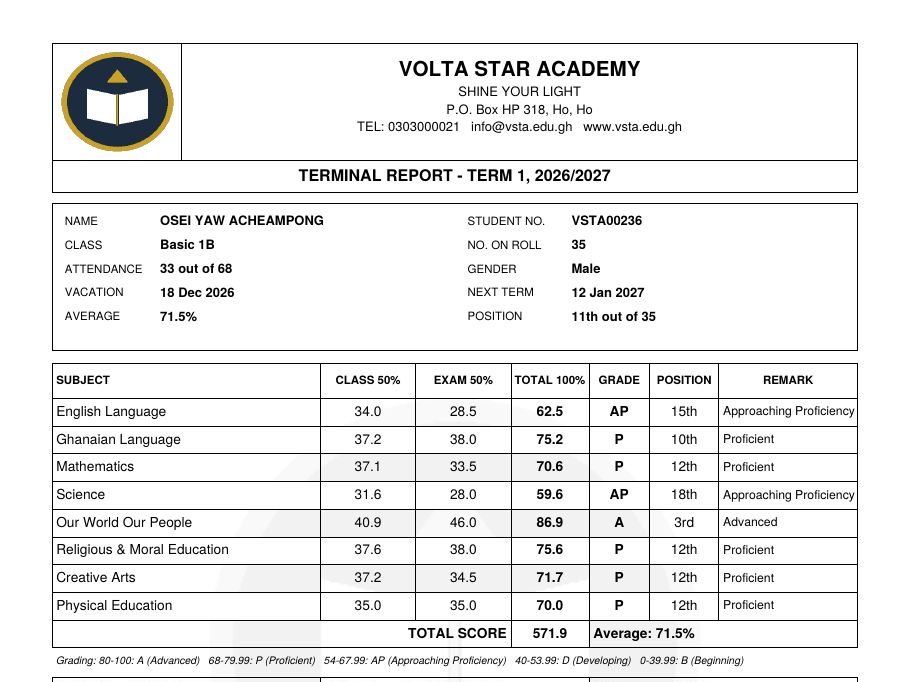
Scores, results and report cards
Teachers enter class scores and exam scores for their subjects, on a phone or from an Excel sheet. The academic head checks and approves them. The system then works out totals, grades, subject and class positions, and the aggregate for JHS.
- Score breakdown and grading set per level (NaCCA grades for primary, 1 to 9 for JHS)
- Class teacher's and head's remarks, conduct and interest
- Report cards printed with the school crest, and a QR code anyone can scan to check them
- Reports published to parents, or held back for unpaid fees
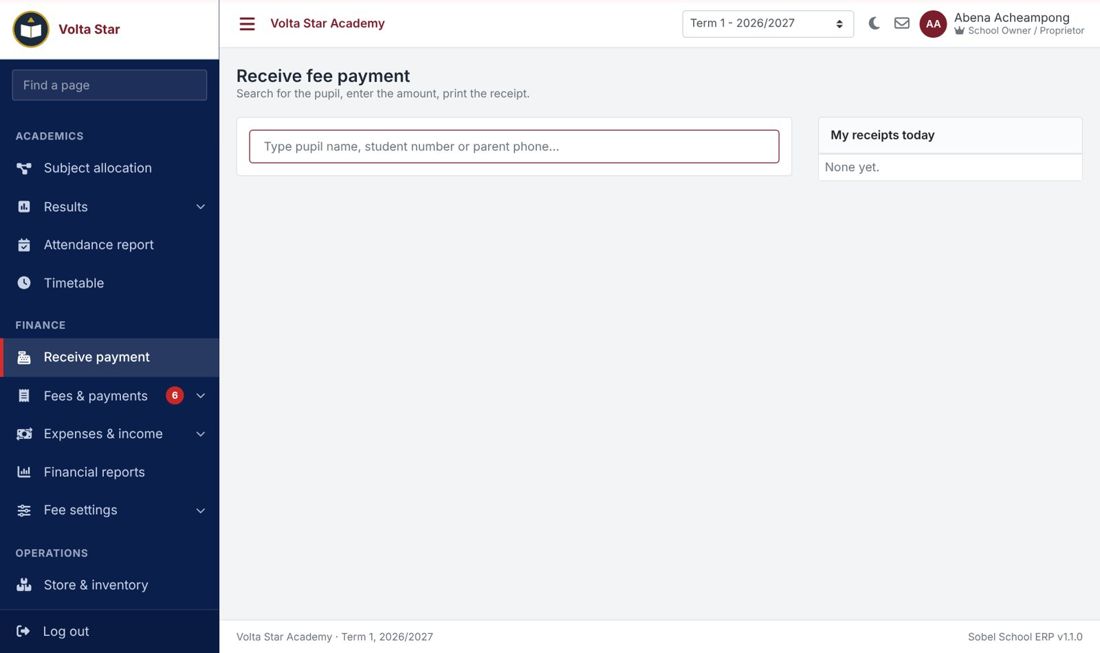
Fees, receipts and debtors
Set the fees for each class and term, then make all the term bills at once. The cashier records cash, Mobile Money, bank and cheque payments and prints a receipt. Parents who pay into the bank upload the slip and you approve it.
- Discounts for staff children, brothers and sisters, and scholarships
- Debtors list by class with SMS reminders
- Parents can pay online by Mobile Money or card through the school's own Paystack account
- Arrears from earlier terms carried forward
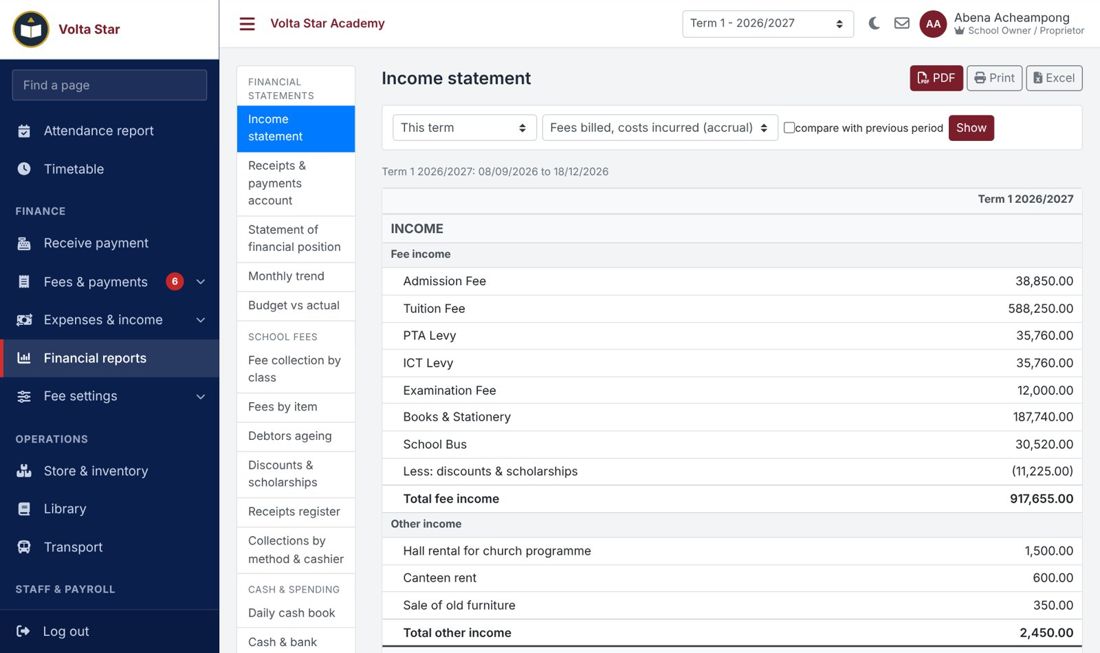
Accounts and payroll
Record expenses and other income against your bank, Mobile Money and cash accounts. Run the monthly payroll with SSNIT and PAYE, print payslips and the bank schedule.
- Income and expenditure, financial position and cash flow statements
- Budget against actual, daily cash book, debtors ageing
- SSNIT and PAYE schedules for filing
- Everything prints as PDF for the board or the bank
Timetable
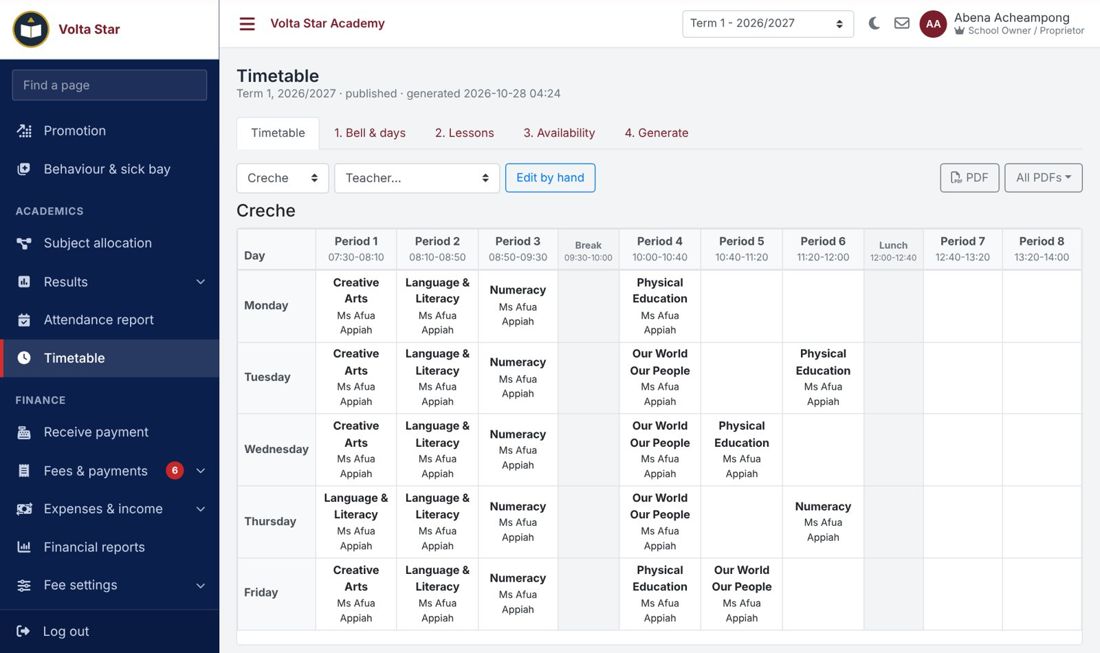
Enter the bell times and how many periods each subject has. The system builds the timetable for every class and teacher, and never puts a teacher, class or room in two places at once. It works for class teachers and for subject teachers.
- Double periods, morning-only subjects, rooms such as the ICT lab
- Times when a part-time teacher is not available
- Change any lesson by hand; the system refuses a clash
- One PDF per class and per teacher
Parents and pupils
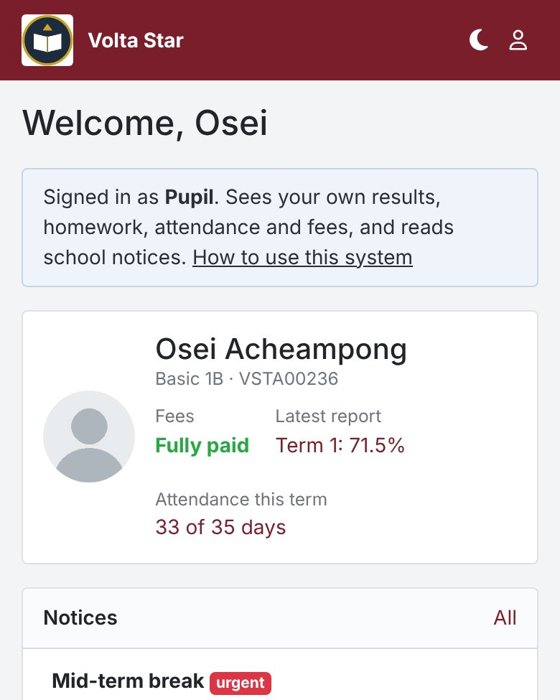
Parents sign in with their phone number. They see report cards, bills and receipts, attendance and homework, pay fees and message the class teacher. One account covers all their children in the school.
- SMS for receipts, absence, reminders and notices
- Announcements and school events
- Login slips printed for every parent and pupil
Also in the system
Online admission form, pupil and staff records, class registers, homework, early-years skills, promotion, store and stock, library, school bus, behaviour and sick bay, staff leave and sign-in, chat between parents and teachers, and a separate login for every staff member with menus for their role.
Pricing
Set-up and staff training are included. We confirm the price for your school when we call you.
| Plan | Price | Pupils | SMS units | Includes | |
|---|---|---|---|---|---|
| Basic | Ask us | up to 300 | - | Pupils, scores and report cards, fees, parent portal | Apply |
| Standard | Ask us | up to 1,000 | 500 | Homework & Assignments, Inventory & School Store, Online Admissions, School Website CMS | Apply |
| Premium | Ask us | no limit | 2,000 | Accounting (GL, journals), Homework & Assignments, HR & Payroll, Inventory & School Store, Library, Online Admissions, School Website CMS, Transport | Apply |
Getting started
- Apply. Fill in the short form below. You will get an SMS with a reference number.
- We call you. We agree the plan and price with you and fix a day to set up the school and train your staff.
- Your school is created. With your logo and colours. The school administrator gets the sign-in details by SMS.
- Add your staff, pupils and fees. Pupils can be imported from Excel. Print the login slips for teachers and parents and you are ready for the term.
What you need to have ready
- Class lists (an Excel sheet is fine)
- The fees for each class this term
- Staff names, phone numbers and what each person does
- The school crest or logo
To see how it all works before you apply, read the user manual (PDF).
Apply for your school
We will call you to agree the plan and set up the school. Fields marked * are needed.
Questions schools ask
Do we need to buy a computer or install anything?
No. It runs on the internet. Any phone, tablet or computer with a browser will do, and most teachers use their own phones.
Our pupils are in Excel. Do we type them again?
No. Pupils can be imported from an Excel sheet. We help you with it when we set up the school.
Can parents pay fees online?
Yes, by Mobile Money or card, through the school's own Paystack account, so the money goes to the school. The receipt is recorded and sent to the parent straight away.
How are SMS paid for?
Buy SMS units from us, or use the school's own Arkesel account. Receipts, absence alerts, reminders and login details can all go by SMS.
Who creates the passwords?
The system makes a password for every person and prints login slips. Everyone chooses their own password the first time they sign in. The school administrator can reset a password and send it by SMS.
Does it follow GES / NaCCA?
Yes. Grade levels, learning areas, primary grading and the JHS 1 to 9 grades and aggregate are set up for you. International schools can use the British or American template.
Who can see our records?
Only your own staff, parents and pupils can sign in to your school, and each person sees only what their role allows. Every change, and every time someone looks at a password, is recorded.
How long does it take to start?
Usually a few days after we receive your application. It depends mostly on how ready your class lists and fees are.
Contact us
Ask a question, or ask us to come and show the system to your staff.
| Phone | 0249452132 |
|---|---|
| 0249563467 | |
| sobeltek@gmail.com |
Already using the system? Sign in to your school.